Gouvernail
See their page. Show where to click.
Your visitor is lost on your site. You give them a 6-digit code, they enter it and accept: you see their page live and point to where to click. They stay in control from start to finish.
Free to start · No account for your visitors · Hosted in France
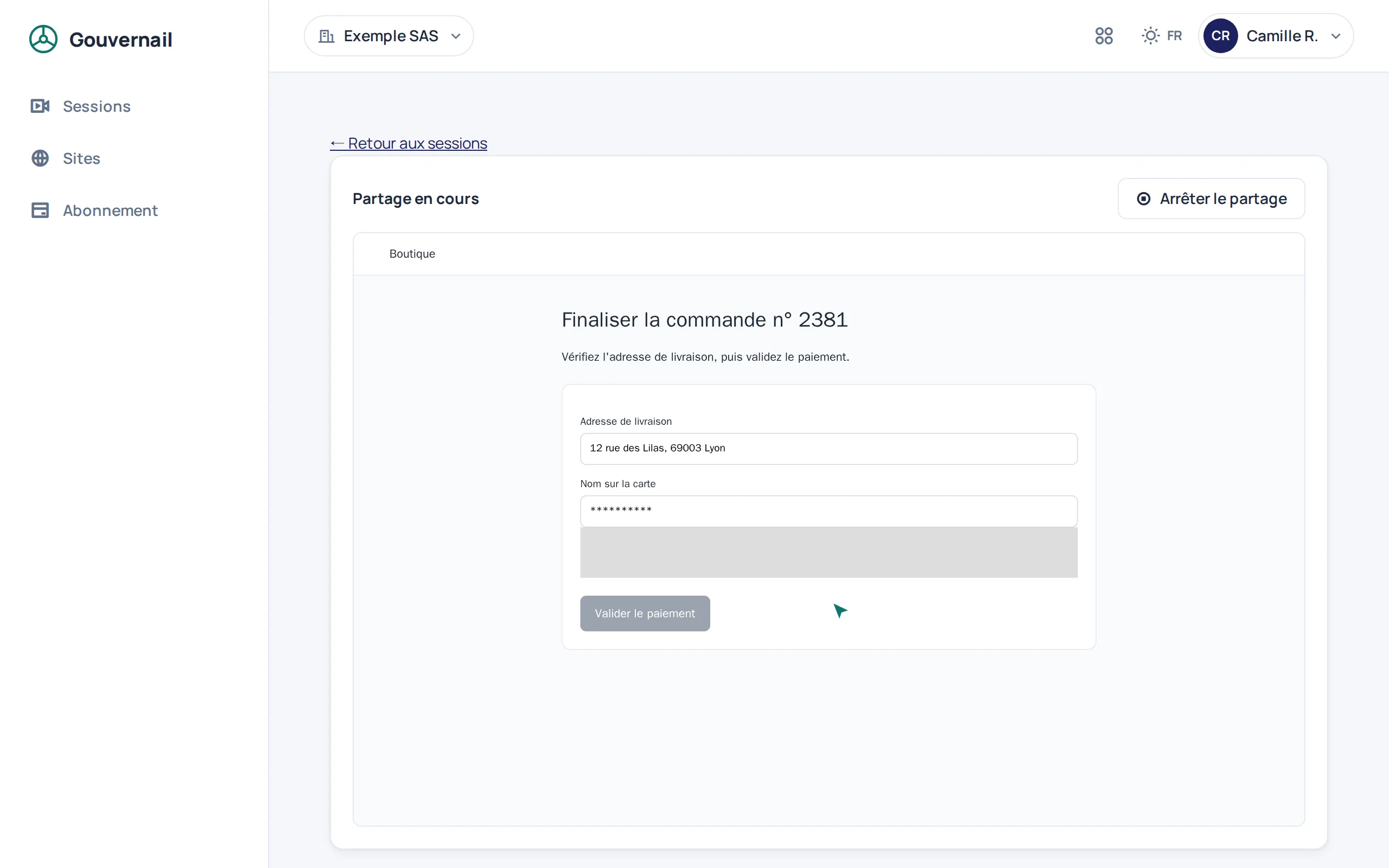
A code, a yes, and you see.
The agent opens a session from their dashboard and reads out the code. The visitor enters it in the site's “Help” button, or opens the link that carries it. Nothing is sent until they accept.
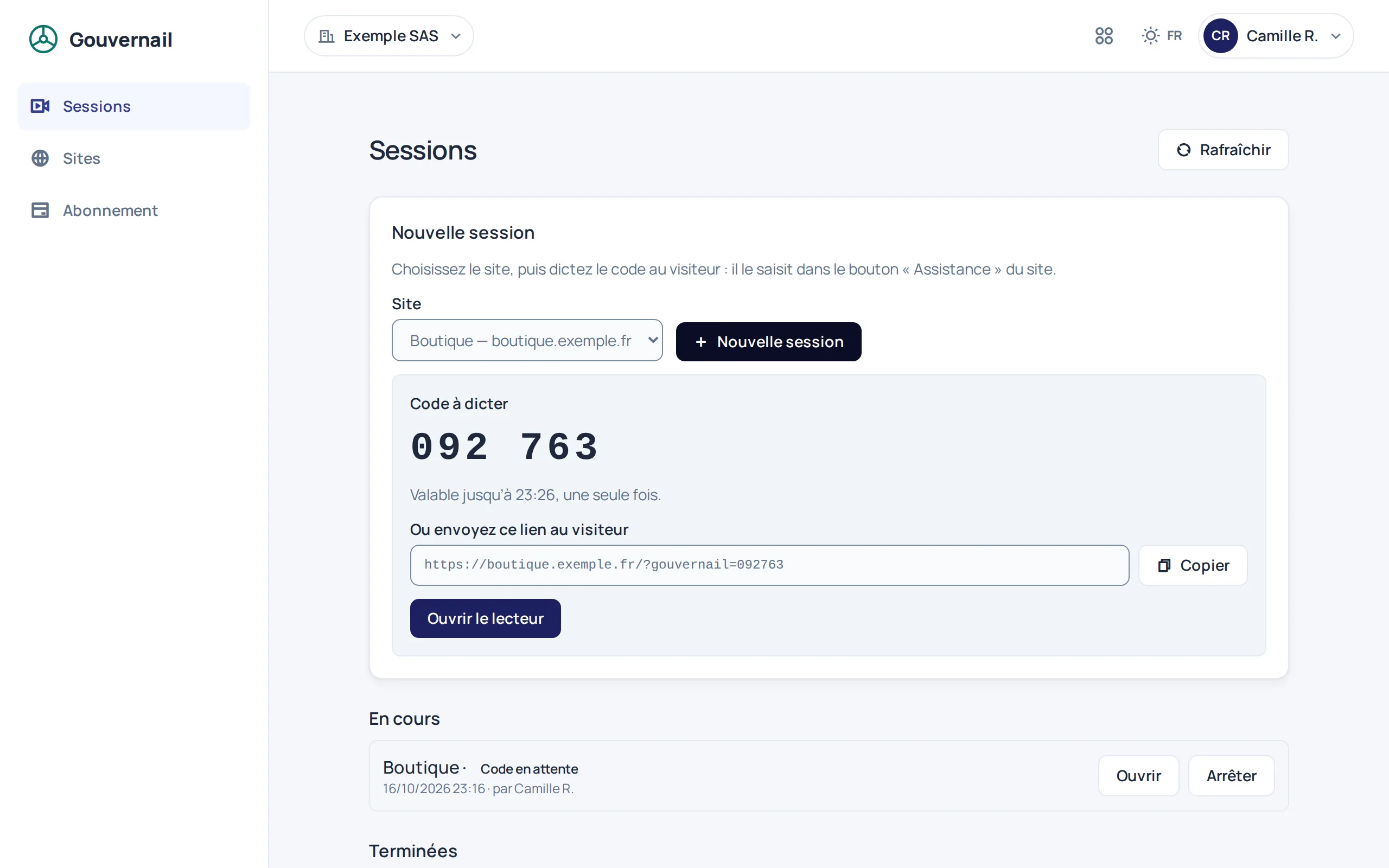
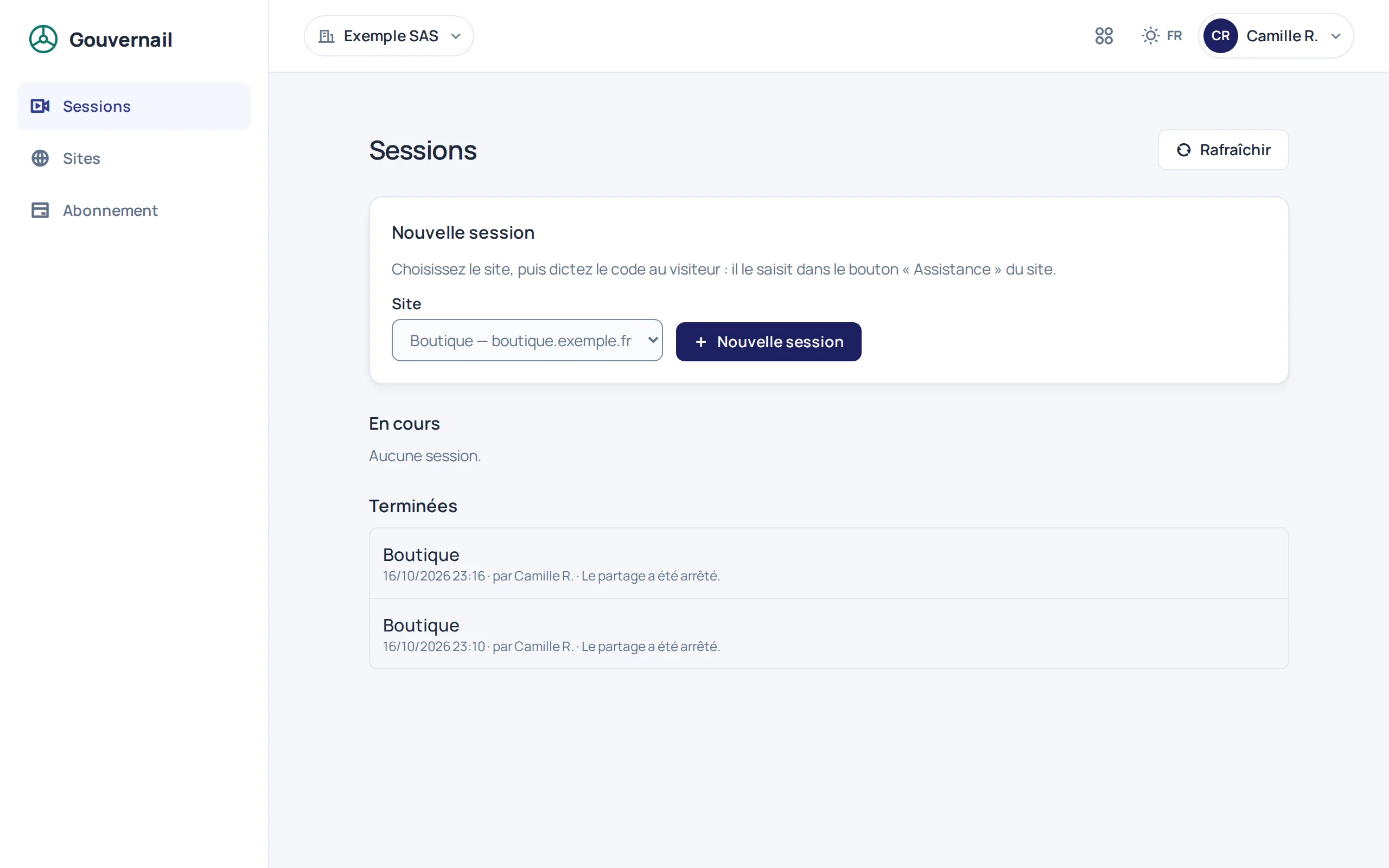
Three steps, no account for the visitor.
No software to install, no screen to share: Gouvernail rebuilds the page itself on the agent's side.
-
1
You read out a code
The agent picks the site and creates the session; Gouvernail shows a 6-digit code and a link to send.
-
2
The visitor accepts
They enter the code in the “Help” button, then accept or decline sharing. They can stop it whenever they want.
-
3
You see and you point
Their page appears on your side live, from page to page. Your pointer shows up on theirs to show where to click.
From Trame, no code to read out.
A visitor writes to you in a Trame conversation? One click on “Take over” offers them sharing right in the conversation. They accept, and the session opens in Gouvernail.
- The visitor must be online in the conversation: the offer reaches them live.
- Gouvernail must be enabled for your organisation.
- These sessions count towards your plan just like those started from the dashboard.
One tag per site.
Declare the domain in Gouvernail, paste the tag before the closing body tag. The “Help” button appears on your pages.
paste before the closing body tag
<script
  src="https://api.gouvernail.dismoi.dev/v1/gouvernail/widget.js"
  data-site-key="gk_your_public_key"
defer></script>- A site is an exact domain: the widget only accepts sharing from that domain.
- The site key is public: it is meant to be visible in your HTML.
The visitor decides. Their inputs stay with them.
Gouvernail shows a page, not a screen: whatever is not in the page, or whatever you have marked, is never sent.
- Nothing without their consent
- Sharing only starts after “Accept”. The visitor stops it in one click; after 15 minutes without activity, the session closes.
- Masked inputs
- Every input reaches the agent masked. You can reveal one with
data-ck-unmask, never a password or a card number. - Blocked areas
- Whatever you mark
data-ck-blockappears in grey. Videos, audio, iframes and hidden fields are never sent. - Hosted in France
- Gouvernail data is hosted in France.
One site, one price.
No per-seat billing: you pay for the site where you guide, and your whole team can lead sessions.
Discovery
To try live guidance on one site.
Free
1 active site
- 10 sessions per month
- See the page and point, live
- Join by code or by link
- Take over from Trame
Pro
To guide your visitors every day.
€50 per site per month
or €500 per site per year
Everything in Discovery, plus:
- Unlimited sites, billed per site
- Unlimited sessions
Prices exclude tax. VAT is added to the invoice. Sessions are counted per calendar month, dashboard and Trame combined.
Frequently asked
- Is it screen sharing?
- No. Gouvernail rebuilds the web page itself, not the visitor's screen or their other tabs. Whatever is outside the page is not sent.
- Can I click on the visitor's behalf?
- No: you see and you point, the visitor stays in control of their page. They are the one who clicks and types.
- What exactly does the agent see?
- The page, without blocked areas or media, with inputs masked, and its address, query parameters included. So do not put sensitive data in the address of pages where sharing is possible.
- Does the visitor need an account?
- No. They enter the code given by the agent, or open the link that carries it, then accept sharing.
- How long is the code valid?
- 10 minutes, and only once. After that, the agent opens a new session.
- What is a site?
- An exact domain. If you guide on app.example.com and on shop.example.com, those are two sites.
Ready to show the way?
Free to start, on one site with ten sessions per month.